Optimal Player settings
There are various settings you can configure in the game settings to improve the audio, visuals to enhance your game awareness and combat potential.
Raise FOV
Raising your field of view (FOV) is a classic way to improve combat effectiveness, as it increases peripheral vision and reduces the chances of being surprised by nearby threats. To do this, navigate to the in-game Settings -> Graphics -> FOV, and drag the slider all the way to the max.
Night Mode
Enabling night mode will make it so that the audio compresses the dynamic range of sound by reducing the volume of loud sounds and increasing the volume of quiet sounds, making nearby footsteps and players easier to hear. This setting is off by default, to turn it on navigate to Settings -> Audio -> Night Mode.
Movement tip
Using dodge roll off a ledge will make you take less fall damage.
Track Items
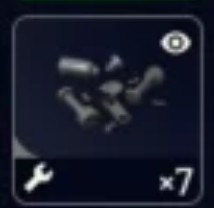
You are able to track items you need for crafting various items. These items will then show an eye icon. This can be helpful when looting or sorting your inventory to know which items you need.
Trading Tip
You can trade your free loadouts for green ones with Lance, one of the traders. This is always better than selling or recycling your free loadouts as the green ones are more valuable and more useful topside.